Functions
- Login on WIZE Platform access
- Login on WIZE eBanking access
- Login on WIZE mobile banking access
1. Download App
Download the Access App on your smartphone :


2. Register App
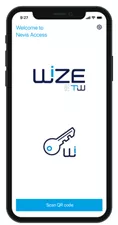
On the first app start, you need to register your account through your existing WIZE platform / eBanking simply by scanning a QRCode.
Registration Process
- Login to your WIZE Platform/ebanking Website using your existing credential or with the one-time password provided by your relationship manager
- Go to the “Access App” tab/menu
- Scan the QRCode with your Access App
- Follow the guided process from the Access App
- You’re ready ! Now your WIZE Access App is activated for both Web & Mobile accesses
Security Level
- A personal NIP code or FaceID is protecting your Access App
- The authentication process is verified through an highly secured channel
- The App is periodically updated with the latest security enhancements.
Compatibility
- Mobile phone with iOS version 13 and upper, Android version 7 or upper
Q&A
- Your phone is generally locked with a PIN or FaceID, so no way to unlock it and use the Access App.
- If your phone is unlocked in any way, the Access App adds a second PIN or FaceID process to validate any authentication process.
- Reach your relationship manager to “reset” your access so you can restart with the “Register App” process on a new phone.
- Reach your relationship manager to “reset” your access so you can restart with the “Register App” process on a new phone.
- No, only one is allowed